
How to Build a 7-Day AI Content Dashboard
Research, approve, write, and organize a full week of content in one interactive workflow.
If you create content regularly, the hardest part is often not filming — it is figuring out what to post, researching the topic, writing the script, finding visuals, and keeping everything organized.
This workflow uses Runable to turn that process into one interactive system. Instead of giving Runable one giant prompt and getting generic output, this setup makes Runable work with you step by step. It asks about your niche and audience, researches current topics, lets you approve the ideas, asks you to upload previous scripts, learns your style, writes the content, and then builds a usable 7-day content dashboard.
Who this is for
What you will build
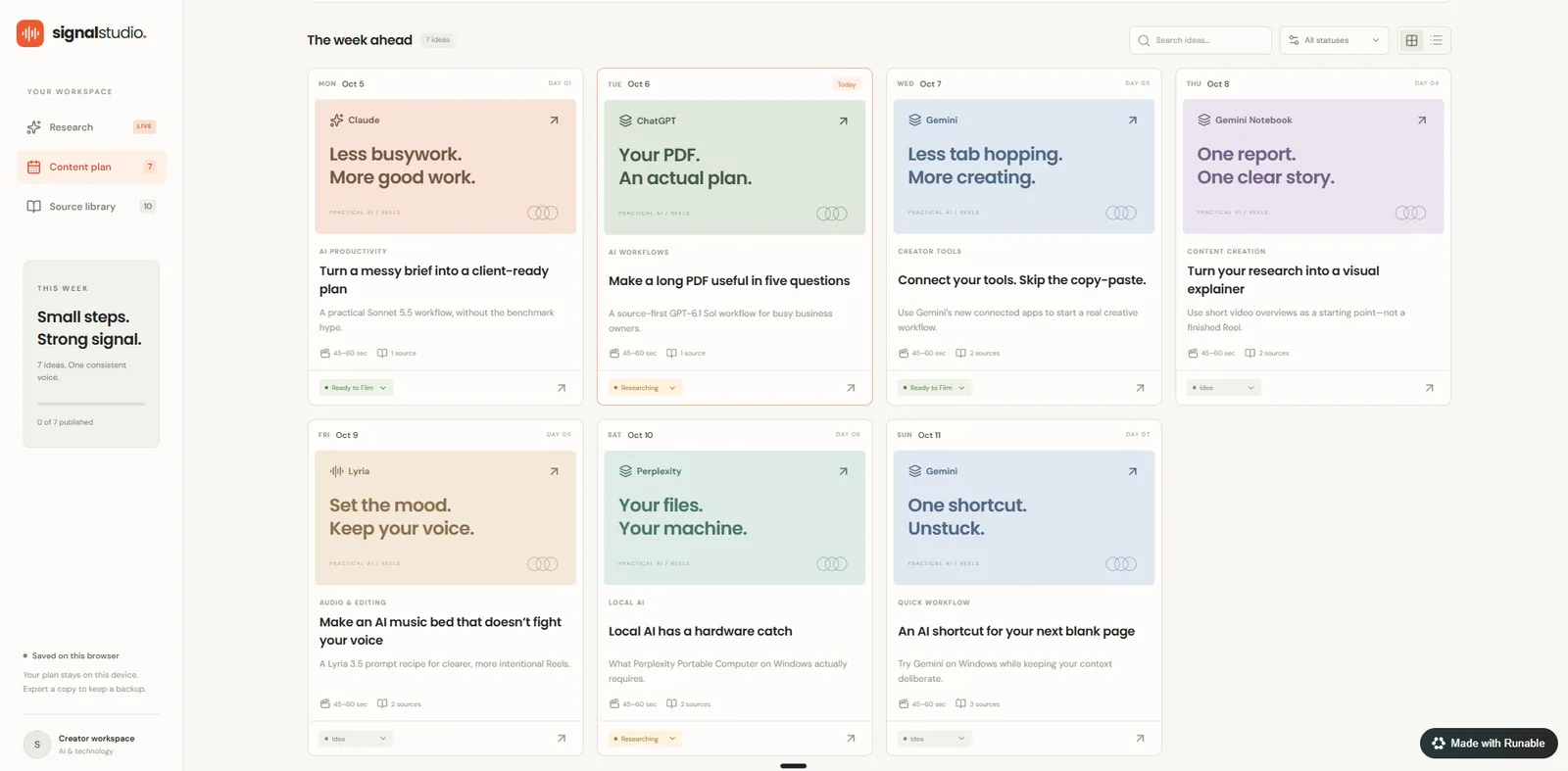
Everything ends up in a functional content planning dashboard. Here is an example of the finished weekly overview:
The Master Prompt
Paste this into Runable to start. It tells Runable to stop at each checkpoint and wait for you. The steps below explain how it works.
Show the full prompt
How It Works
Eight steps, with three points where Runable stops and waits for you.
Runable Asks About Your Content
After you paste the master prompt, Runable should first ask you questions before doing any research. It should learn:
- Your niche or industry
- Your target audience
- Your main content topics
- Your platforms
- Your content format
- How often you publish
- Your preferred content length
- Your tone and style
- Your content goals
- Topics you want to prioritize or avoid
It should ask these conversationally instead of dumping a huge questionnaire on you at once.
Active Research
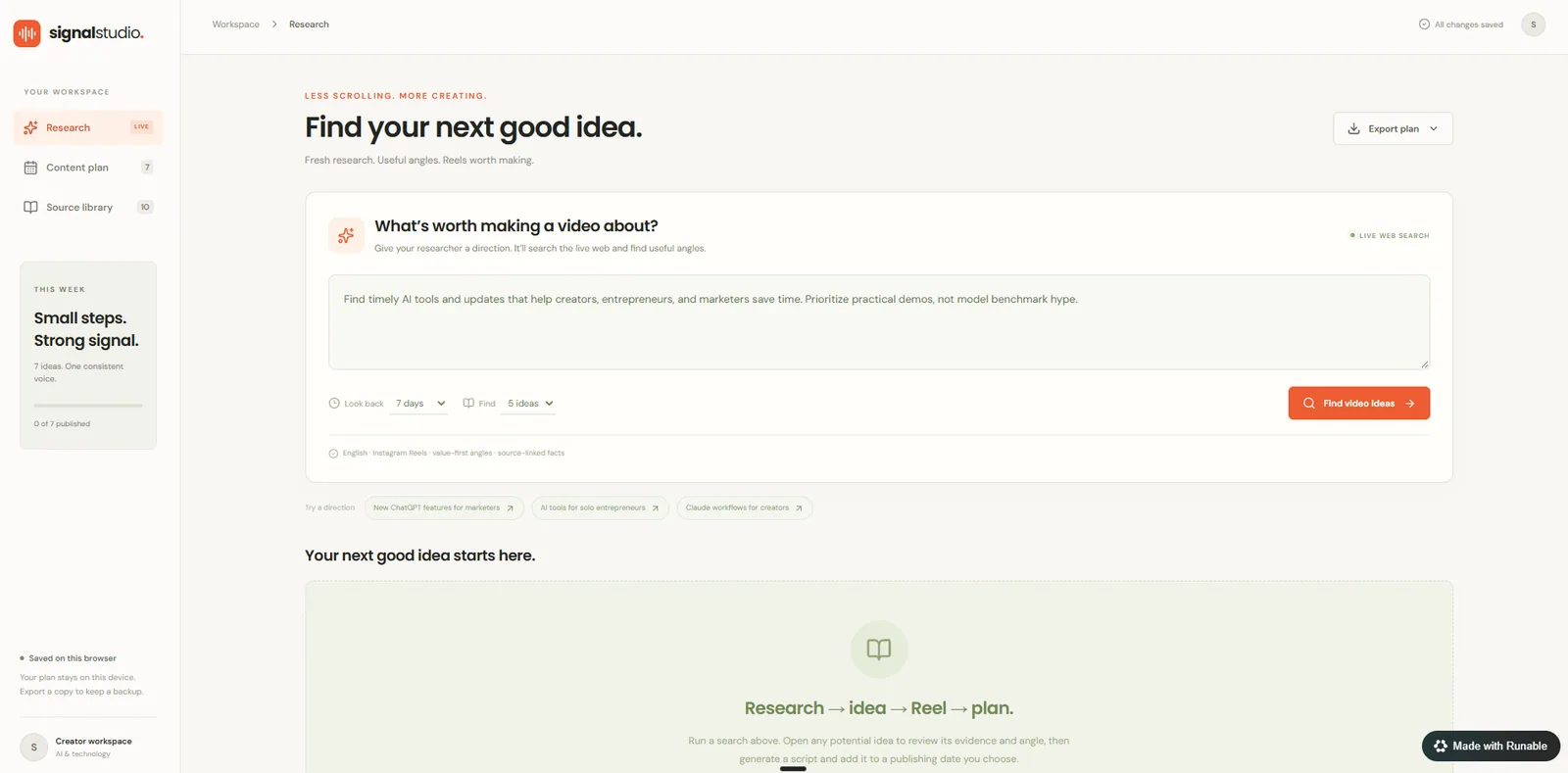
Once Runable understands your content, it researches what is currently happening in your niche. It should look for:
The goal is to find topics that are timely, useful, practical, visually interesting, and highly relevant to your audience.
Build the 7-Day Plan
Runable should recommend the strongest seven ideas for the next seven days. Each idea should include:
Approve the Topics
Before Runable writes any scripts, it should stop and show you the seven ideas. It should ask whether you want to:
- Approve all seven
- Replace any ideas
- Change the angle
- Research something deeper
It should wait for your response before moving forward.
Checkpoint: Runable stops here and waits for you. No scripts get written yet.
Upload Your Previous Scripts
Once the topics are approved, Runable should stop again before writing the final scripts. It should ask:
If you upload previous scripts, Runable should analyze:
It should use your old scripts as a style reference only. It should not copy old scripts, reuse their topics, or let them influence the research.
Checkpoint: Runable stops again and waits for your answer.
Confirm the Style
After analyzing your scripts, Runable should briefly summarize what it learned about your writing style. Then it should ask whether you want it to use that style for the seven new scripts.
It should wait for your response before continuing.
Checkpoint: Approve the style before any final content is written.
Write the Content
After you approve the style, Runable can write the final content. For each of the seven days, it should create:
Build the Dashboard
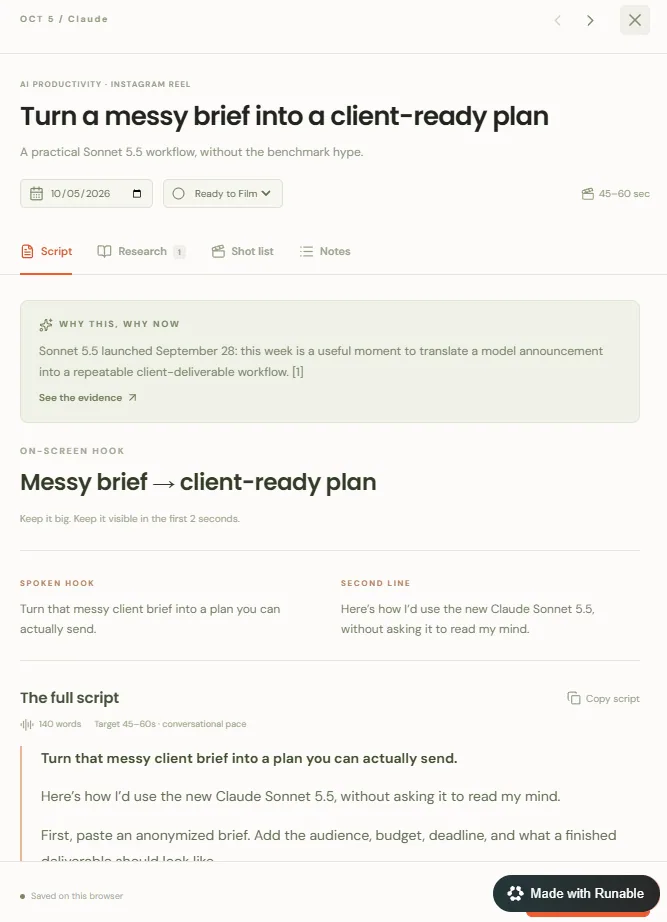
After the content is complete, Runable should build a functional content planning dashboard. It should include:
- Day / publishing date
- Topic
- Why it matters now
- On-screen hook
- Spoken hook
- Full script
- Research summary
- Sources and clickable links
- What to show on screen
- B-roll and supporting assets
- Content status
Content statuses
The dashboard should have a clean weekly overview and let you open each idea to see the full research, script, sources, and visual recommendations.
Why Use Runable for This
This workflow works well in Runable because you can combine active research, source gathering, script creation, visual planning, and the final dashboard in one place.
Instead of bouncing between multiple AI tools, research tabs, documents, and project boards, the whole workflow can live together.
Try Runable
Paste the master prompt into Runable, answer the setup questions, approve the research, upload your previous scripts when prompted, and let it build your content system.
Try Runable ↗Disclosure: this guide features Runable as part of a sponsored collaboration. Pricing and promo terms are set by Runable and may change.